Features

Everything hangs off one loop

Scan, review, and let prices, margins, and inventory keep themselves current. Every AI output is reviewable; every automatic number is correctable.

The Scanner

Continuous capture built for speed: framing guides, a confirmation flash, and a live thumbnail of the last shot. The camera never blocks between photos — uploads and AI run in the background. An on-device quality gate (~5 ms) catches blurry or dark shots before they upload.
Scanner in action screenshot

The AI pipeline

Four stages, each catching what the last can't: Classify (is this a purchase document, invoice or delivery note?), Extract (vendor, date, line items, per-line category and pack contents, with matching against your catalog), Validate (deterministic math cross-checks), and Review (a human approves in Triage).

Extraction pipeline screenshot

Triage

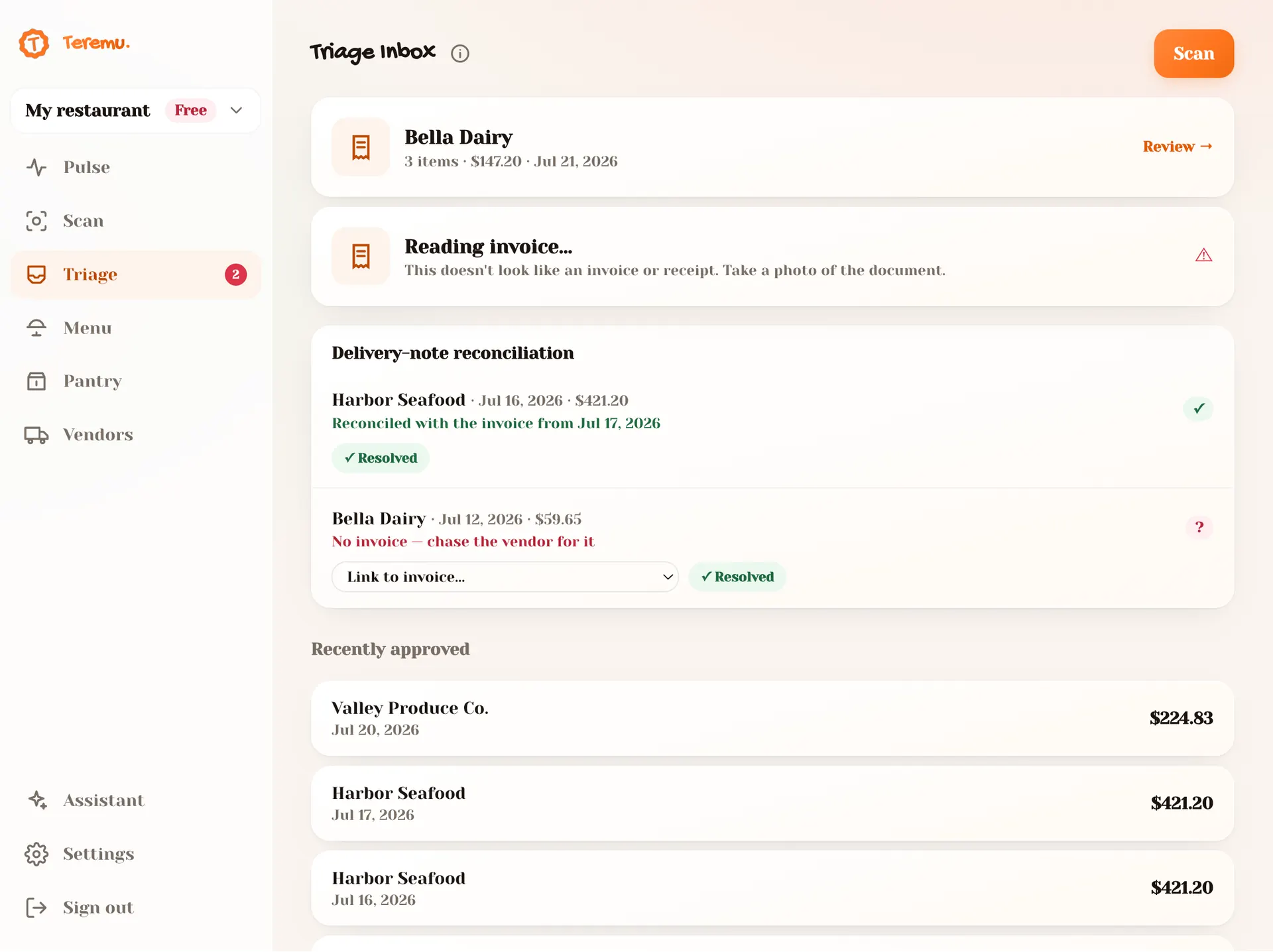
The inbox where digitized documents wait. Review is side-by-side — the receipt photo next to editable line items, with amber warnings and flagged rows where the math didn't check out. Approve and prices roll; mark non-food bills as expenses; flip invoice ↔ delivery note if the AI misjudged. Automatic delivery-note ↔ invoice reconciliation catches billing errors.

Side-by-side review screenshot

Pulse — the dashboard

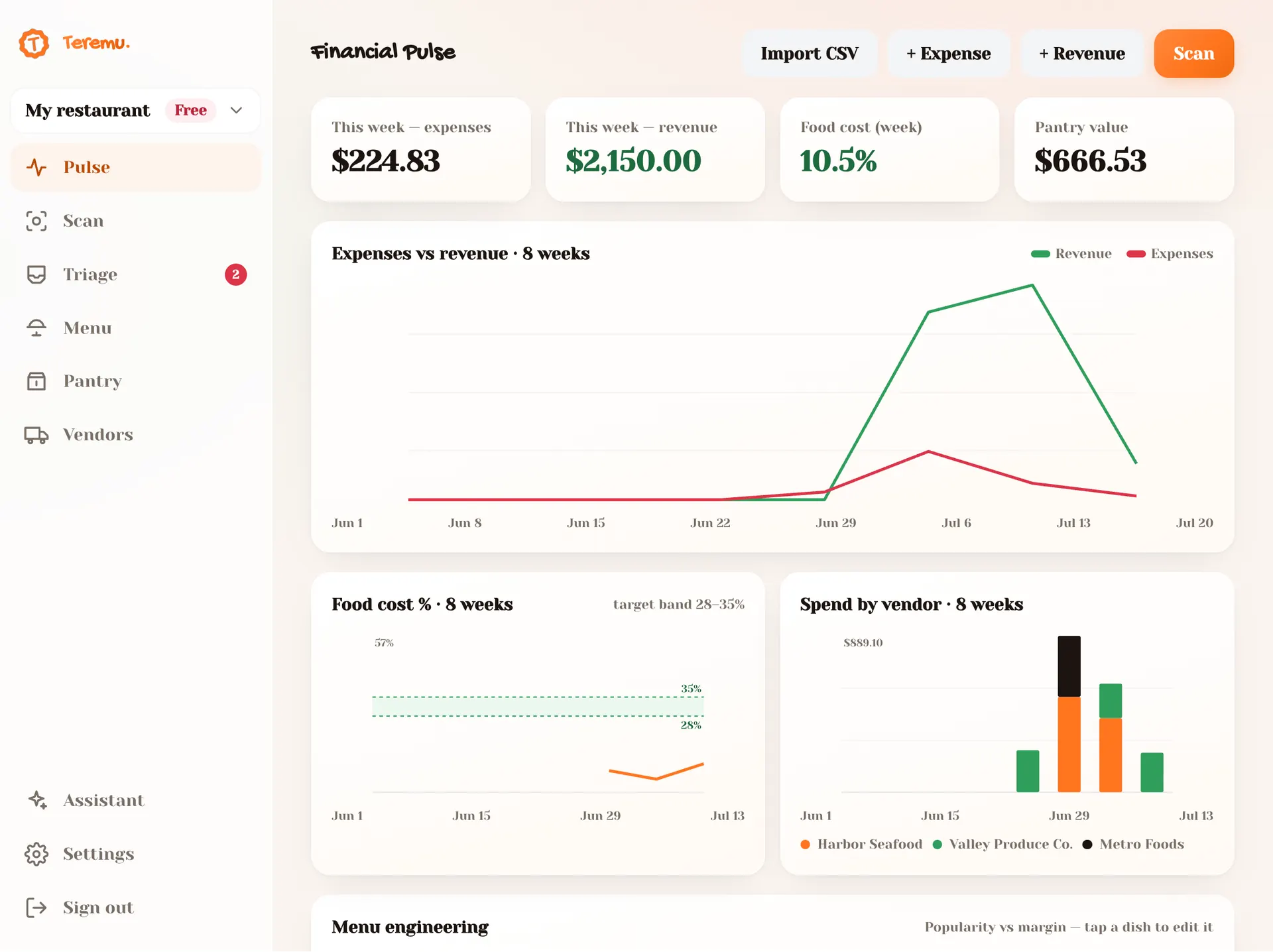
The home screen answers "how is the restaurant doing?" at a glance: weekly expenses, revenue, food-cost % (against the 28–35% target band), and pantry value. Hand-rolled SVG charts: expenses vs revenue, the menu engineering matrix, price sparklines, and an ingredient Pareto. Every name links to its page.

Pulse dashboard with charts screenshot

Menu & recipe costing

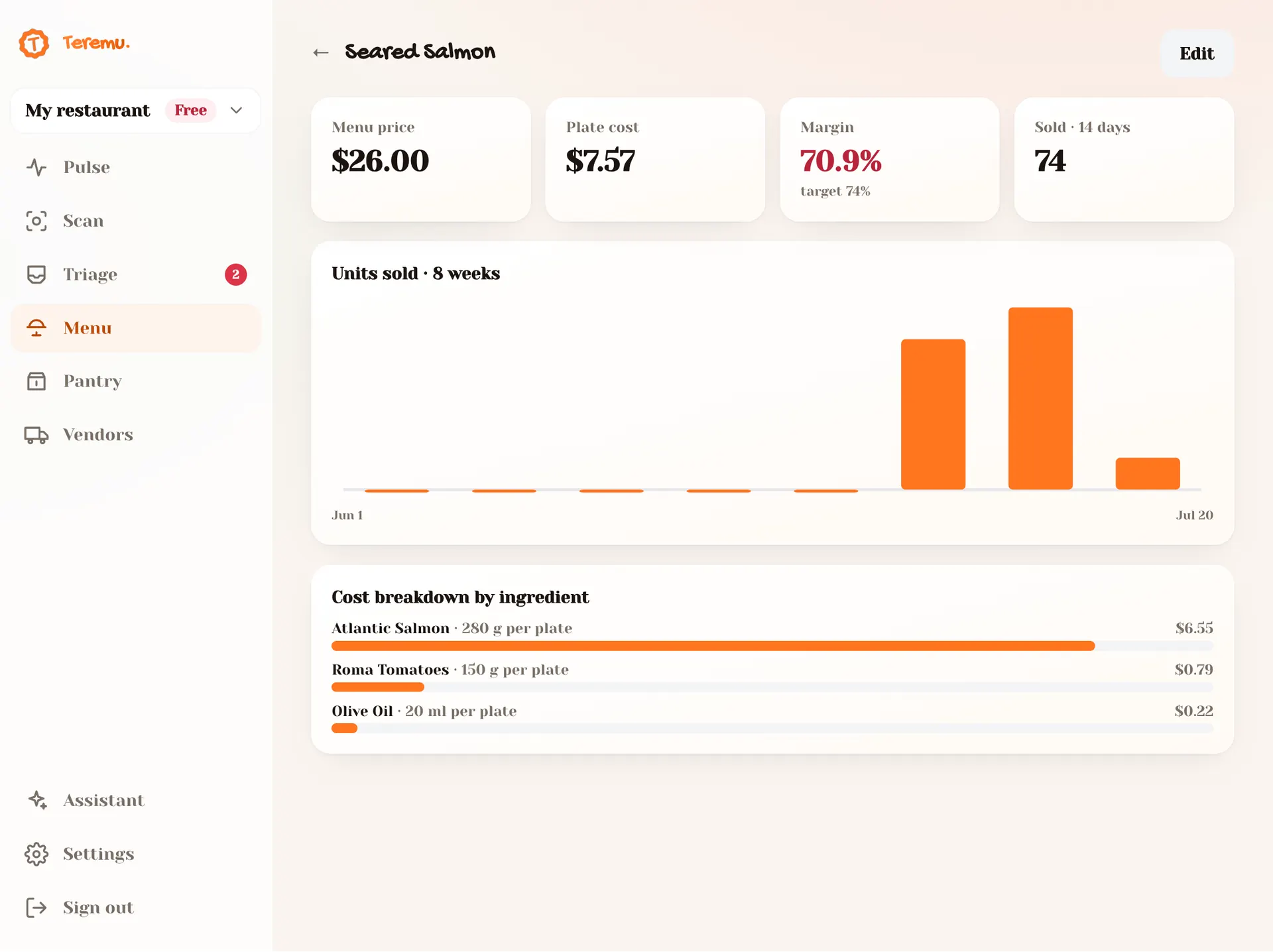
Every dish costed live from your suppliers' rolling prices. The list shows target-vs-actual margin bars sorted worst-first — dishes needing attention float up. Each dish has a cost breakdown: each ingredient's share of the plate, the "why is this dish expensive" view.

A dish's recipe costing screenshot

Theoretical pantry

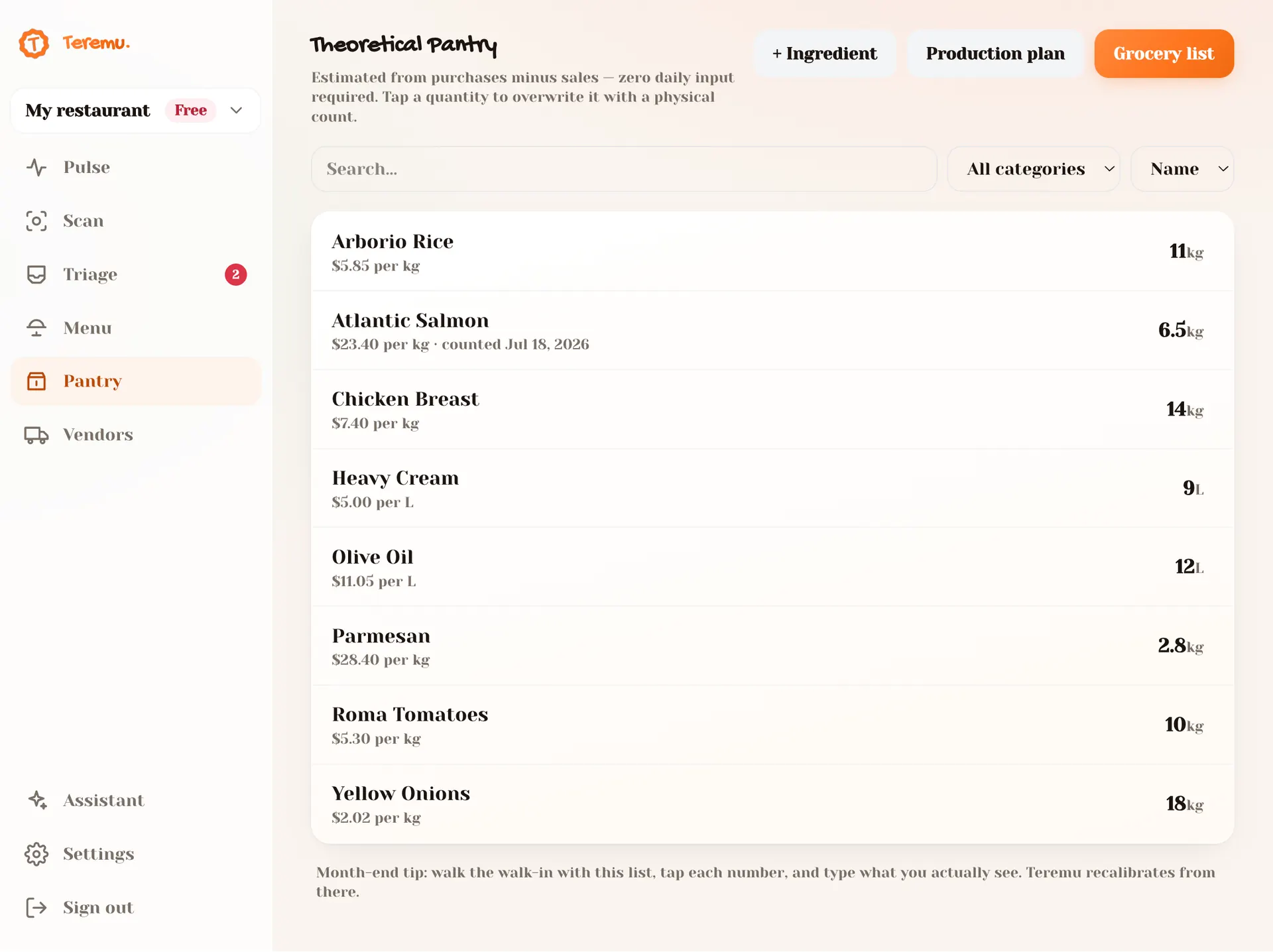
A reference table, not a ledger: purchases (from scans) − sales (via recipes) = current stock, with zero daily input. Monthly, the chef walks the walk-in and trues up what they see. The grocery-list generator derives usage rate and suggests 7-day quantities, sorted by urgency and grouped by vendor — order by email or WhatsApp.

Pantry and grocery list screenshot

Vendors

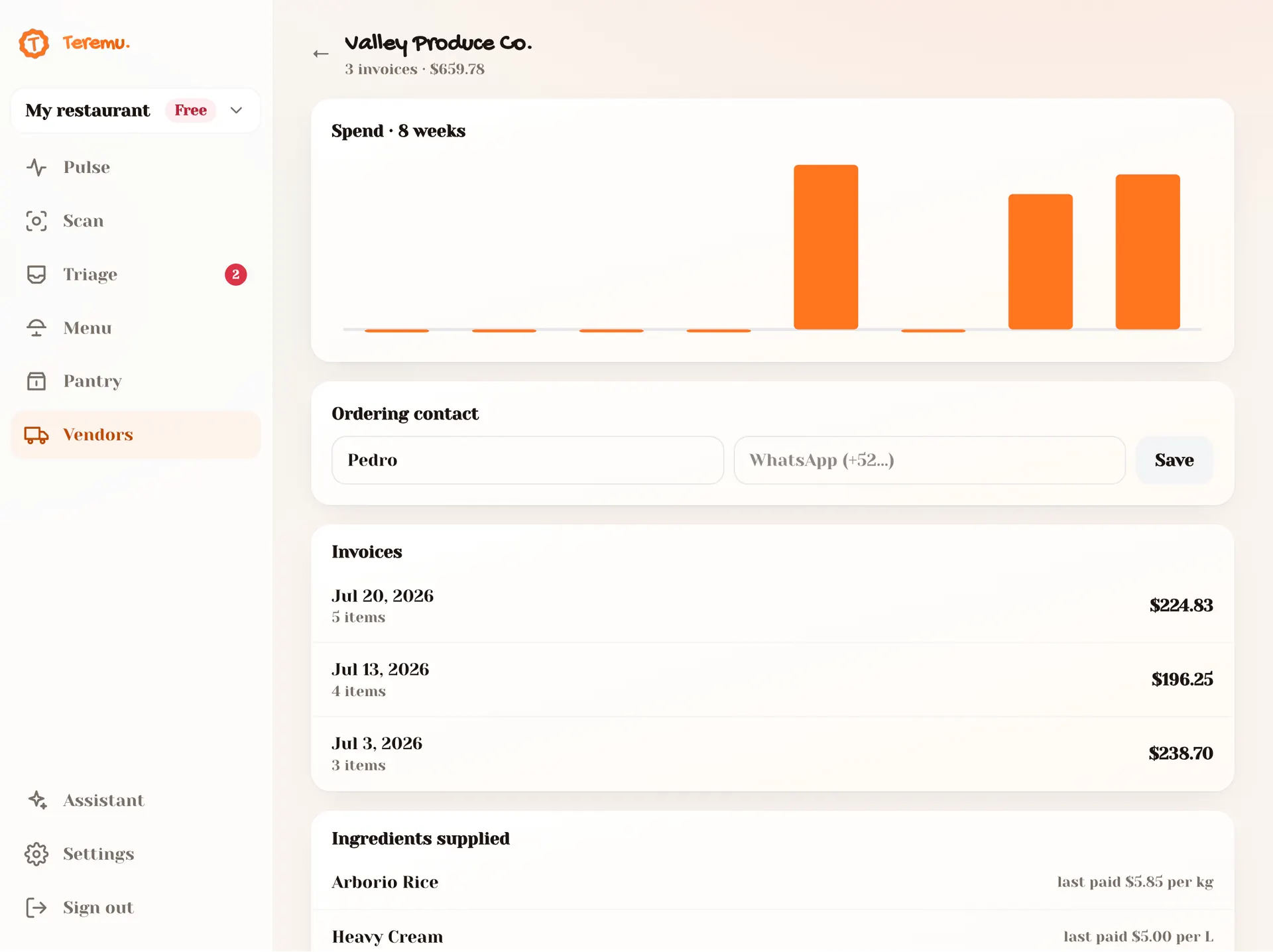
A directory that maintains itself — derived from approved invoices and tagged expenses, so it can never drift from reality. Each vendor shows spend, deliveries, last delivery, and derived tags: the categories they actually supply and the expenses you've paid them under. No manual tagging, ever.

Vendor directory screenshot

The Assistant

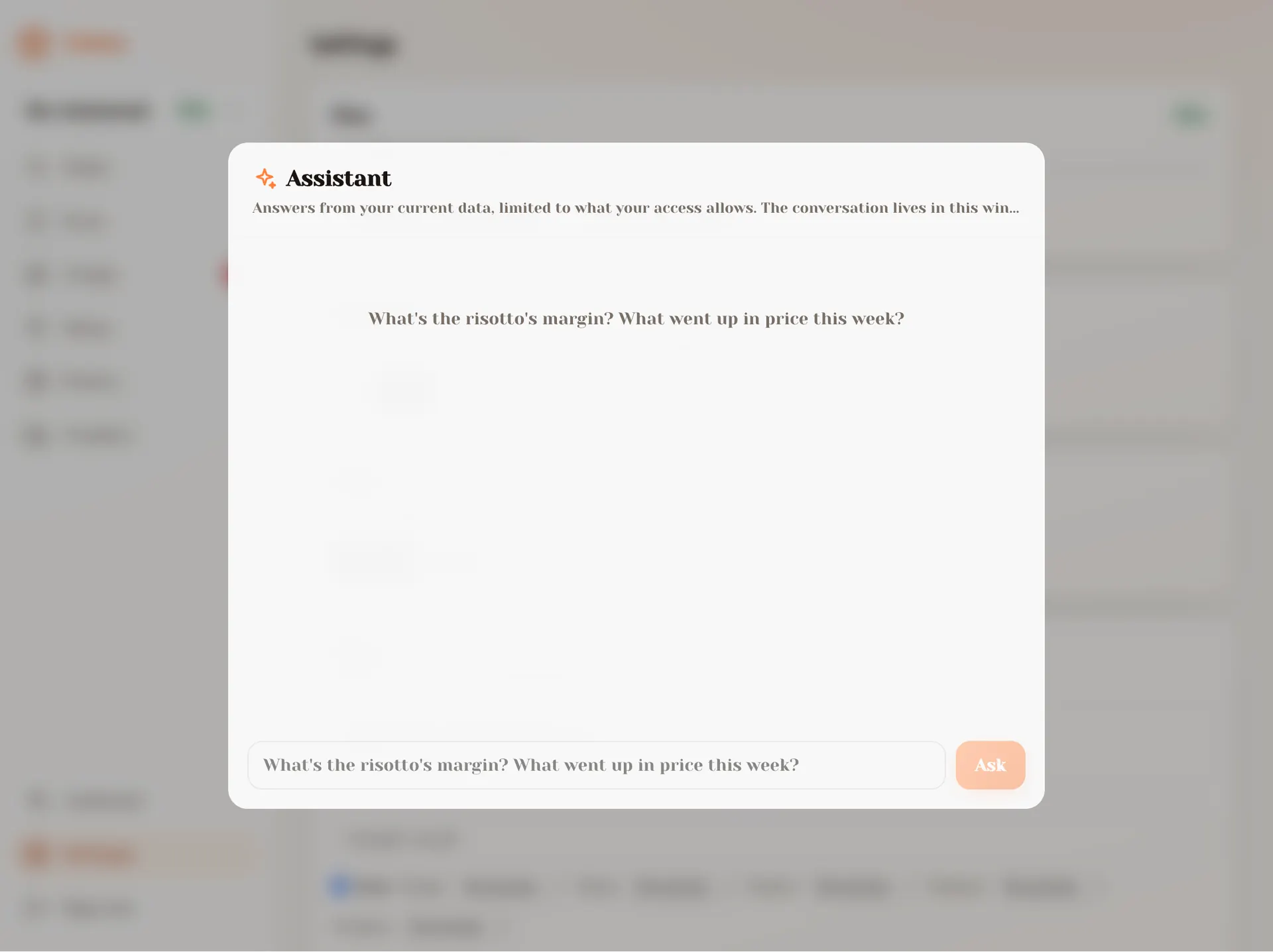
A ✨ button opens Q&A over your own data: "what went up in price this week?". The context the model sees is filtered by the member's permissions, so a scan-only employee literally cannot ask about the money.

Assistant answering a question screenshot

Team & permissions

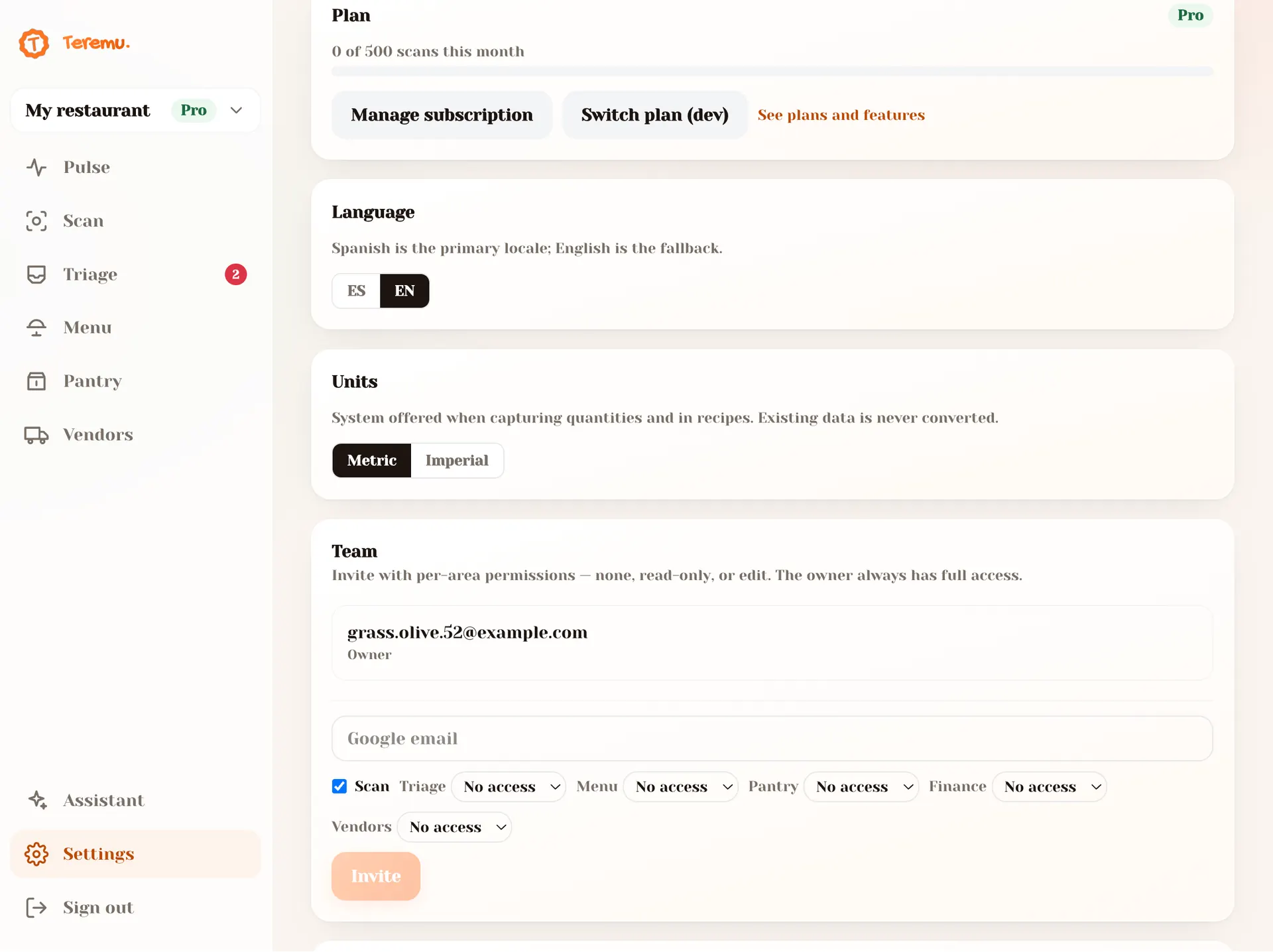
One restaurant is a shared workspace. The owner invites by email; on Google sign-in each member is attached with granular per-area permissions — scan (yes/no) and triage / menu / pantry / finance at none / read-only / edit. "Camera-only runner", "accountant with finance read-only", or "chef with everything but the money" are just permission combinations. Enforced server-side on every route. And it works the same with one location or many: on the Group plan the same permissions extend across your whole group with a consolidated view.

Permission management screenshot

Ready to scan your first invoice?

Start free — 25 scans a month, no card.