Know what every delivery order leaves you, even before you have a system
In a ghost kitchen, the delivery app takes its cut before the money ever reaches you. If your ingredient and packaging costs are out of date, a dish that looks profitable can be leaving you very little. Teremu reads your supplier invoices with your phone camera and keeps the cost of every dish current.
Free forever: 25 scans a month, no card, nothing to install at your place.
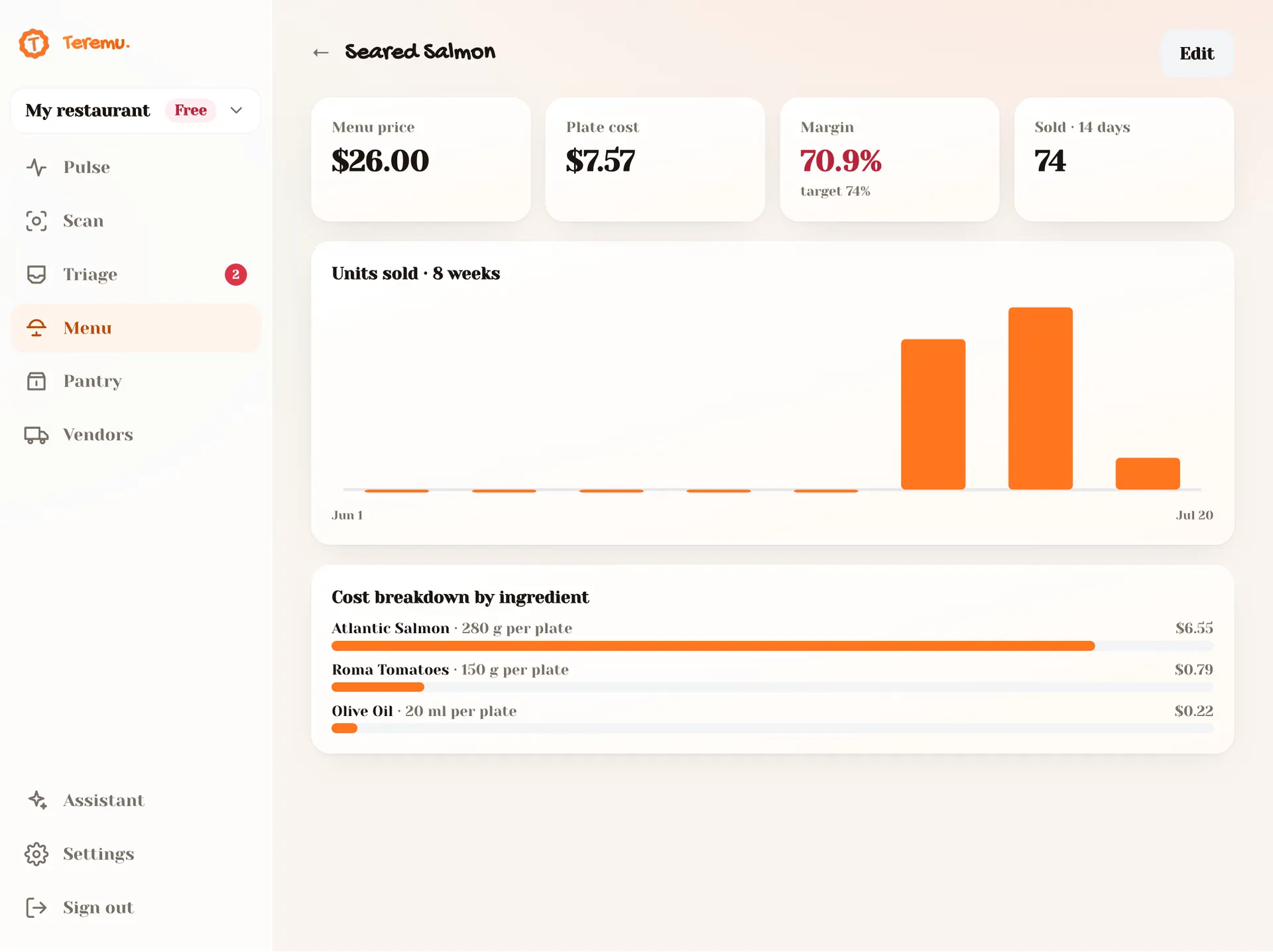
The numbers that slip when you’re starting out
Fees eat the margin
Delivery apps often charge between 15% and 30% of each order, depending on the plan. If you priced your menu like a dine-in restaurant, the math may not work.
Several brands, one pantry
Burgers, wings and bowls come out of the same kitchen and the same walk-in. When chicken or fryer oil goes up, costs change across every brand at once.
Packaging nobody costs out
Clamshells, bags, lidded cups and sauce cups go out with every order. They're cents per piece, but in delivery they're part of every dish you sell.
Your costing system, from your phone
Scan your invoices
Snap a photo of the supplier invoice, even a crumpled one, or upload the PDF. AI reads items, quantities and prices; you review and approve in Triage.
Cost per dish
Add each dish with its ingredients, quantities and packaging, and see its cost at the last price you paid.
Margin alerts
When a supplier raises a price, Teremu tells you and shows which dishes fell below your target margin, worst first.
Weekly Pulse
See what you spend each week and your food cost percentage against the 28% to 35% band.
Your first week with Teremu
- 1
Day 1: create your free account with Google and scan the invoices from your last order of meat, chicken, produce and packaging.
- 2
Day 2: add your 5 most-ordered dishes with their ingredients, quantities and packaging.
- 3
Day 3: check each dish's cost and set a target margin that accounts for the app's fee.
- 4
Day 4 onward: scan every new invoice when it arrives. Costs and alerts update on their own.
How to calculate the real cost of a delivery dish
In a ghost kitchen, food cost is measured against what you keep, not what the customer pays. Do it in three steps:
- Cost the dish. Add up each ingredient (amount used × the price per pound or piece you paid) and add the packaging: clamshell, bag, sauce cup, utensils.
- Net revenue per order. Subtract the app's fee from the menu price. A $14 dish with a 25% fee leaves you $10.50.
- Real percentage. Divide the cost by the net revenue. A $4.50 cost on $10.50 is 42.9%, even though against the menu price it looks like 32%.
That number tells you how to price: if you want cost to be 40% of what you receive, divide the cost by 0.40 to get the net revenue you need ($4.50 ÷ 0.40 = $11.25), then divide that by (1 − fee): $11.25 ÷ 0.75 = $15.00 on the app. The full worked example is in our guide to ghost kitchen delivery app fees.
Why the spreadsheet falls behind
Doing the math once is easy. Redoing it every time a price changes is not. In a kitchen running several brands, a chicken price increase hits wings, bowls and sandwiches at once, and nobody recosts twenty dishes on a Tuesday night.
Teremu ties that work to something you already do: receiving invoices. Every time you scan one, the new price flows into every dish that uses that ingredient, and you immediately see which ones fell below your target margin.
What to watch in a ghost kitchen
- Proteins and fryer oil: usually the most expensive items and the ones whose prices move most.
- Packaging: every delivery dish ships with its container and bag. Include them in each dish's cost.
- In-app promotions: a discount you fund lowers your net revenue, and your cost percentage rises even though nothing changed in the kitchen.
- Low-price items: once the fee is taken, a cheap side can leave you almost nothing. Check those first.
- Invoice discrepancies: Teremu matches the delivery note against the invoice to catch charges that don't belong.
Guides to keep learning
How to price ghost kitchen menu items with delivery app fees
The formula to know what each dish really earns after the delivery app's commission, and how to set prices that still leave a margin. With a step-by-step example, the most common mistake, and how to keep it current.
How to calculate your restaurant's food cost (no spreadsheets)
A practical guide to calculating food cost percentage, understanding the healthy 28–35% range, and spotting the dishes that are eating your margin.
Frequently asked questions
How do I calculate food cost for a ghost kitchen dish?
Add up the dish's ingredient and packaging cost and divide it by what you actually receive after the app's fee, not by the menu price. If a dish costs $4.50 and the app pays you $10.50 on a $14 order, your real food cost is 42.9%.
How much do delivery apps charge?
Fees are often between 15% and 30% of the order, depending on the plan and the services included. Check your contract: some charge promotions, in-app ads or payment processing separately.
Does it work if I run several virtual brands from one kitchen?
Yes. You add each dish from each brand with its ingredients, and they all pull prices from the same pantry. When an ingredient goes up, you see the effect on every brand that uses it.
Do I need to connect Teremu to delivery apps or a POS?
No. Teremu runs on your phone (iOS and Android) or in the browser and doesn't need to connect to any POS or delivery app. Your costs come from the invoices you scan.
How much does it cost?
The Free plan is $0 forever: one location, the owner as the only user, 25 scans a month and an unlimited menu, no card required. If you have a team, Pro is $39 per location per month with up to 5 members and 500 scans.
Teremu is also for
Know what you make on every sale
Scan your first invoice today. No spreadsheets, no data entry, no card.